How to Reset Your AC Thermostat Safely
Resetting your AC thermostat is safe if you follow the right steps. Learn how to do it without damaging your system, and when to call a Greenville pro.
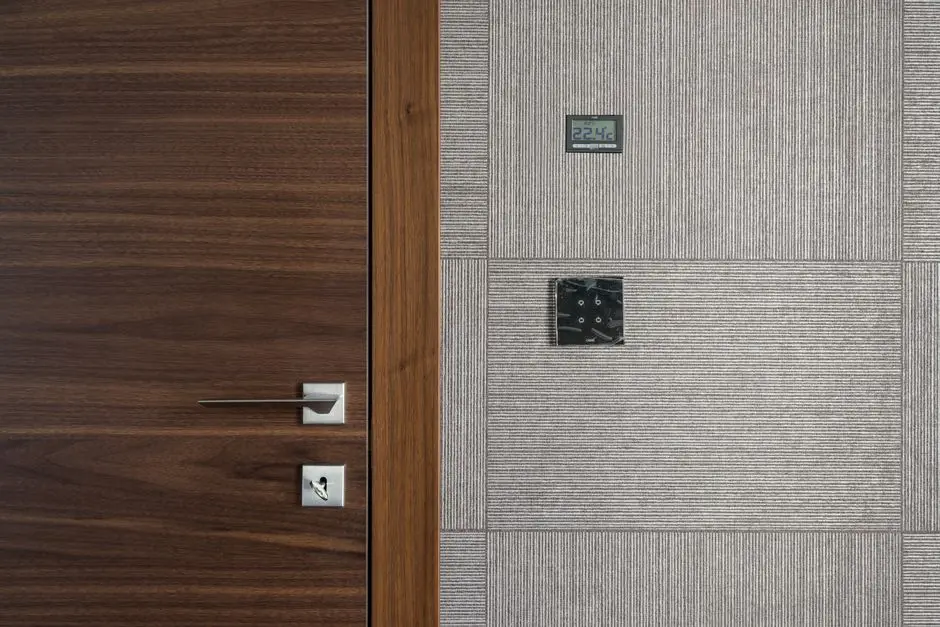
You can safely reset your AC thermostat by turning off power at the breaker, removing the thermostat from its base, waiting 30 seconds, and reconnecting it-or by using the reset button if your model has one. This clears temporary glitches without risking damage. In Greenville, where summer heat pushes systems hard, a quick reset often restores normal operation. This guide walks you through the exact steps, what to watch for, and when it's time to call a professional.
Before you start, know that resetting your AC thermostat is a simple procedure that any homeowner can do. It's not a fix for every problem, but it's a safe first step when your thermostat acts up. We'll cover why resets help, how to do it right, and the mistakes that can cost you a service call.
Why You Might Need to Reset Your Thermostat
Your thermostat is a small computer, and like any computer, it can freeze or glitch. In Greenville, power surges from summer storms or frequent cycling can cause the display to go blank, show wrong temperatures, or stop responding to your settings. A reset clears the memory and restores factory defaults, which often resolves these issues.
Common signs that a reset might help include:
- The screen is blank or flickering.
- The thermostat is unresponsive to touch or button presses.
- The temperature reading is clearly wrong (e.g., shows 90°F when it's 75°F inside).
- The system won't turn on or off when you adjust settings.
- You see an error code or a "dead" display.
If your AC isn't turning on at all, a thermostat reset is a good first check. But if the problem persists, it could be a sign of a deeper issue like a tripped breaker or a faulty thermostat. For homes across AC Repair in Downtown Greenville, we often find that older wiring or voltage fluctuations cause thermostat glitches that a simple reset can fix.
Remember, a reset won't solve mechanical problems. If your AC is running but not cooling, the thermostat is likely fine-the issue is elsewhere. In that case, you'll need a technician to diagnose the system.
Step-by-Step: How to Reset Your AC Thermostat Safely
Resetting your thermostat is straightforward, but you must follow the correct sequence to avoid damaging the unit or causing a short. The exact method depends on your thermostat model. Most modern thermostats have a reset button, while older or basic models require a power cycle.
Method 1: Using the Reset Button (If Your Thermostat Has One)
- Turn off your HVAC system. Set the thermostat to "Off" or turn off the breaker that powers the air handler and condenser. This prevents the system from starting while you work.
- Locate the reset button. On many thermostats, it's a small recessed button on the side or back. You may need a paperclip or pen to press it.
- Press and hold the reset button for 5-10 seconds. The screen should flicker or go blank, then restart.
- Wait for the thermostat to reboot. This can take up to 30 seconds. Once it's back, check that the display shows the correct time and temperature.
- Turn the power back on at the breaker and set your desired temperature.
Method 2: Power Cycling (For Thermostats Without a Reset Button)
- Turn off power at the breaker. Find the breaker labeled for your AC or furnace and switch it off. If you're unsure, turn off the main breaker.
- Remove the thermostat from its base. Gently pull the unit straight off the wall plate. Many models snap off; some have screws.
- Wait 30 seconds. This allows any residual power to drain and clears the memory.
- Reattach the thermostat. Align the pins and press it back onto the base until it clicks.
- Restore power and wait for the thermostat to boot up. Set your schedule and temperature again.
If your thermostat uses batteries, replace them with fresh ones after resetting. Dead batteries are a common cause of blank screens. For homes in AC Repair in West End, we see many older thermostats that need a battery change every 6-12 months.
After resetting, monitor your system for a few hours. If the thermostat loses its settings again or the AC doesn't respond, you may have a wiring issue or a failing thermostat. That's when you should call a professional.
Common Mistakes to Avoid When Resetting Your Thermostat
Resetting a thermostat seems simple, but mistakes can lead to bigger problems. Here are the most common ones we see in Greenville:
- Not turning off power first. Removing a thermostat while power is on can cause a short circuit, damaging the thermostat or control board. Always kill power at the breaker.
- Forcing the thermostat off the base. If it doesn't pull off easily, check for screws or a locking tab. Forcing it can break the mounting plate or pins.
- Pressing the reset button too briefly. Hold it for at least 5 seconds. A quick tap may not trigger the reset.
- Losing your settings. A reset wipes your schedule and preferences. Take a photo of your settings before resetting so you can re-enter them.
- Ignoring repeated failures. If you have to reset your thermostat weekly, something else is wrong-likely a wiring issue or a thermostat that's on its way out.
Another mistake is resetting the thermostat when the real problem is a clogged drain line or a frozen coil. If your AC is leaking water or not cooling, a reset won't help. For those issues, you need a technician to diagnose the root cause. We handle AC thermostat repair Greenville TX and can test your thermostat and system to find the real problem.
If your thermostat is more than 10 years old, consider replacing it with a newer model. Modern programmable or smart thermostats are more reliable and can save you 10-15% on cooling costs. We offer AC installation Greenville TX and can recommend a thermostat that fits your system.
When to Call a Professional
If you've reset your thermostat and the problem persists, it's time to call a pro. Signs you need help include:
- The thermostat won't turn on even after a reset and fresh batteries.
- The AC doesn't respond to thermostat changes.
- You see burn marks or smell burning near the thermostat.
- The thermostat feels hot to the touch.
- Your energy bills spike unexpectedly.
At Greenville CoolCraft, we diagnose thermostat issues daily. We'll test the wiring, check voltage, and determine if the thermostat or the HVAC system is at fault. If you need a new thermostat, we can install one that matches your system and your budget.
Don't risk damaging your system by guessing. A professional can save you time and money. For reliable AC Repair Greenville TX, give us a call.
Frequently Asked Questions
Can I reset my AC thermostat myself?
Yes, resetting your thermostat is a safe DIY task if you follow the steps: turn off power, remove or press reset, wait 30 seconds, and restore power. It takes about 5 minutes. If the problem returns, call a professional.
How often should I reset my thermostat?
You should rarely need to reset it-maybe once or twice a year if you experience power surges. If you're resetting monthly or weekly, there's an underlying issue like faulty wiring or a dying thermostat. Schedule a professional inspection.
Will resetting my thermostat erase my schedule?
Yes, most resets wipe your programmed schedule and return to factory defaults. Before resetting, take a photo of your settings so you can re-enter them. Some smart thermostats back up settings to the cloud and restore automatically.
What if my thermostat doesn't have a reset button?
You can still reset it by power cycling: turn off the breaker, remove the thermostat from its base, wait 30 seconds, and reattach. This clears the memory. If it still doesn't work, the thermostat may need replacement.
Can resetting my thermostat damage my AC?
No, if done correctly. The risk comes from not turning off power first, which can cause a short. Always switch off the breaker before removing the thermostat. If you're unsure, call a professional.
Get Help with AC Repair in Greenville
If your thermostat keeps acting up or your AC isn't cooling, our team at Greenville CoolCraft is ready to help. We provide fast, friendly service across Greenville and surrounding areas.
Call us today at (903) 304-5500 to schedule a repair or thermostat replacement.